How to Use the Emotn Store Downloader Code (7283153)
If you've ever tried to type a long, complex URL using a TV remote, you know how frustrating it can be. One wrong character and you have to start all over again. That's exactly why we created a shortcut.
The code 7283153 has become the go-to method for thousands of users to get Emotn Store up and running in record time. In this guide, I’ll explain exactly what this code is and how you can use it to skip the typing and get straight to the apps.
What is a Downloader Code?
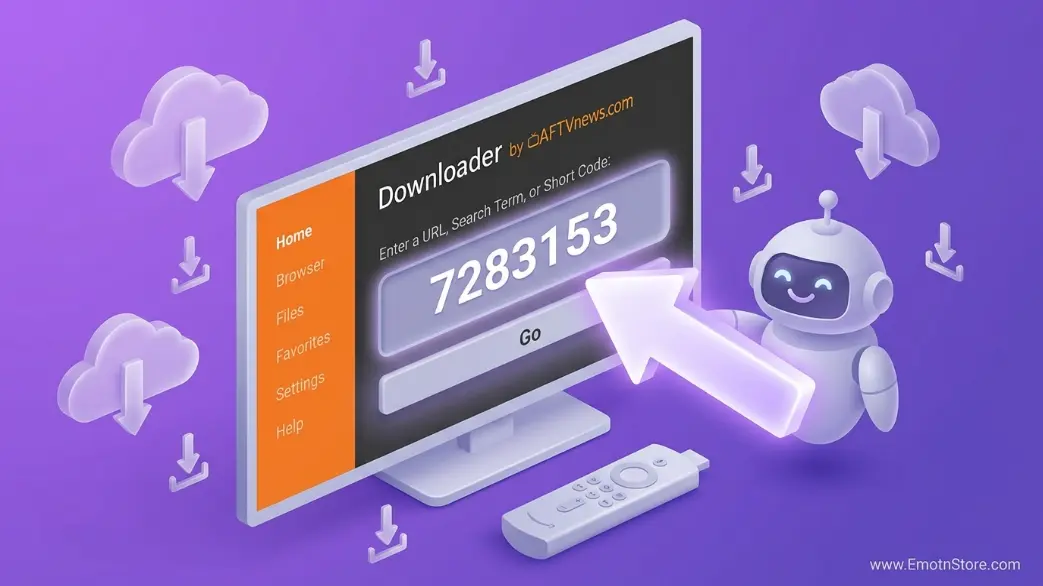
Standard URLs are a nightmare to type using a TV remote. "https://www.emotnstore.com/download/app-v1.0.apk" could take minutes of frustrated clicking. A Downloader Code is a 7-digit numerical shortcut managed by the "Downloader By AFTVnews" application. Our official code"”**7283153**"”redirects your device directly to our latest APK file, saving you time and effort.
Your Official Code
7283153
Step-by-Step: Installing via Code
- Install Downloader: Search for "Downloader" in your TV's App Store (it's the orange one).
- Open & Allow: Open the app and click "Allow" so it can save the setup file to your device.
- Enter Code 7283153: On the home screen, you'll see a box. Type the code 7283153 and press 'Go'.
- Installation: After a 5-second redirect, the download will start. Once finished, just click 'Install'.
Or use code 7283153 in the Downloader app
Is it safe to use this code?
Absolutely. The code **7283153** is directly linked to our SSL-secured official servers. It is the most secure way to sideload because it eliminates the risk of typos that could lead you to "phishing" sites or unofficial mirrors. If you see this code, you know you are getting the untouched, official version of Emotn Store.
Pro Tip: Bookmark it!
Once you are on our site via the Downloader app, press the "Menu" button on your remote and select "Add current page to favorites." This way, you can visit us anytime for updates without even typing the code again!
Found this useful? Share it with your friends or read our troubleshooting guide if you face any issues.